
 By Lesa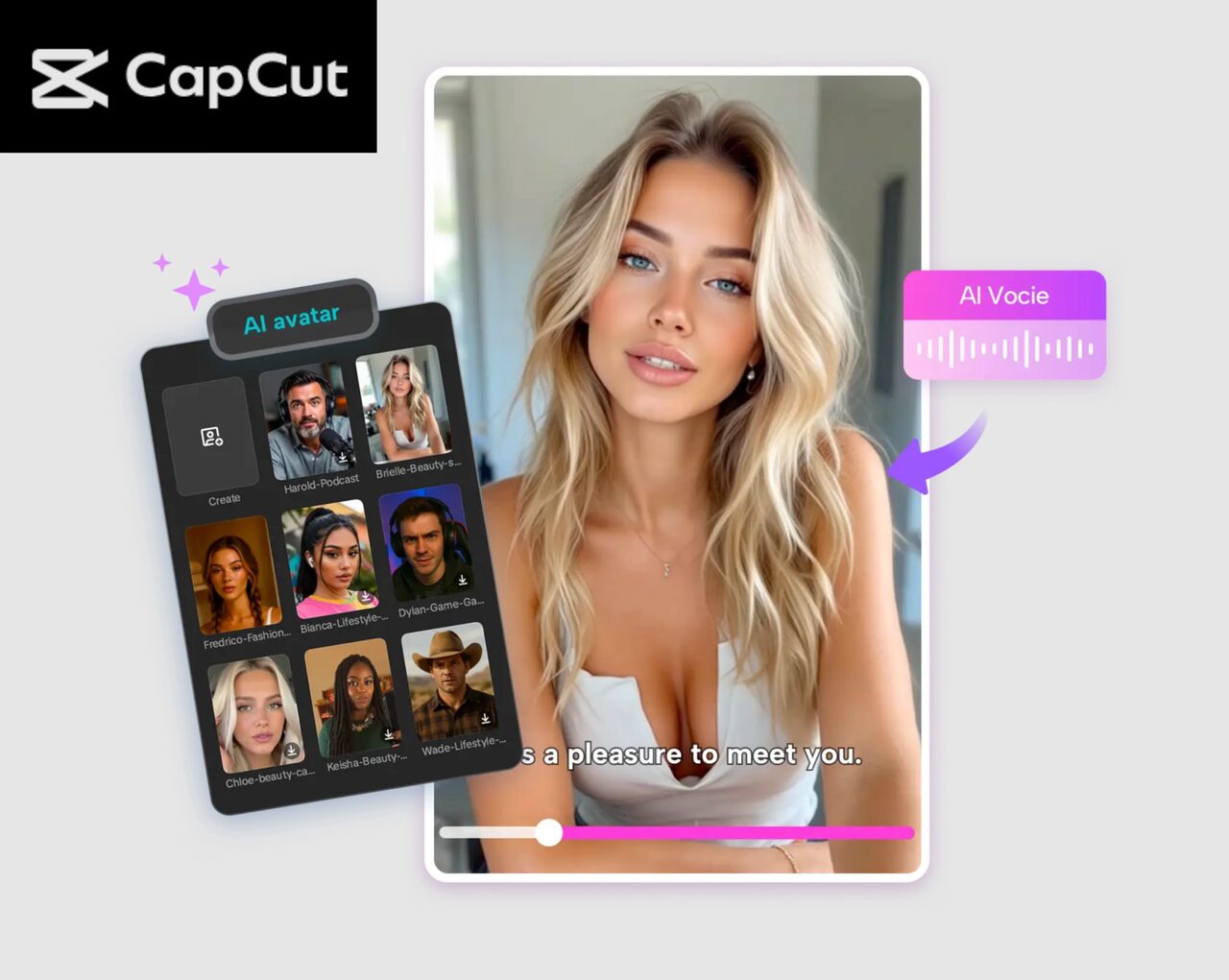
Video creation has become a lot simpler with the advent of AI technology, and there are tools to create lifelike video presenters without having to film yourself! CapCut PC is one of the more stable platforms for this that can help creators, marketers, educators, and freelancers produce great videos using an AI avatar and easy editing tools. With its very powerful AI features and simple UI, you can convert any given script into a professional-looking video in a matter of minutes.
In this article, we’ll discover what CapCut PC is all about, and it goes through three balanced, step-by-step rituals that can be implemented for you to be able to create a human-like AI avatar video. You’ll also see how tools like text-to-speech AI make the whole process smoother, smarter, and more accessible for any type of content creator.
Why AI Avatars Are a Game-Changer
AI avatars give the option to produce video content consistently without the need to be behind a camera. This is especially useful for individuals who might wish to control privacy or simple video production, or keep a uniform on-screen style across a number of projects. Instead of getting caught up in lighting or the camera or the backgrounds or the voice-overs repeated over and over again, you type in your script and let the AI take care of the rest. CapCut PC goes even further with this ease of use and customization, while still delivering a final, natural-looking, and engaging video.
Key Features of CapCut PC
AI Avatars & Voice Integration
CapCut PC pre-includes a vast library of AI characters that look natural and expressive. Each AI avatar is meant to move, blink, and speak in a very realistic manner, giving a sense of humanity to your video. The integration of text to speech AI means that the process becomes smooth – Type your script, select from multiple voices, and watch the software build perfect-timed speech with accurate lip sync. This eliminates the need for microphones or repeated voice recordings.
Filters and Visual Enhancements
CapCut PC includes some filters, which can help you make your avatar video look better. These filters enable balancing the lighting, smoothing skin tones, and adjusting the colors according to the different themes . You may be making educational content, marketing videos, or a professional presentation. The adjustments are easy but really do make a difference to the overall look and feel of your project.
Background Customization
Background editing is one of the best features of CapCut PC. You change your avatar’s environment in seconds. Indwerp proposes clean studio backgrounds, office motifs, or graphics you can upload and print yourself. This is incredibly useful when it comes to branding, for creating consistent video themes, or for creating content for different platforms without having to use an actual recording space.
Auto Captions
CapCut PC has Automatic captions that can automatically create subtitles from what your avatar says. The tool is quick and precise, and you can effortlessly edit the wording, fix punctuation, and change the timing. Captions can help improve accessibility, make your videos more engaging for your viewers, and well as more professional, particularly on websites such as YouTube, TikTok, and Instagram.
High-Quality Exporting
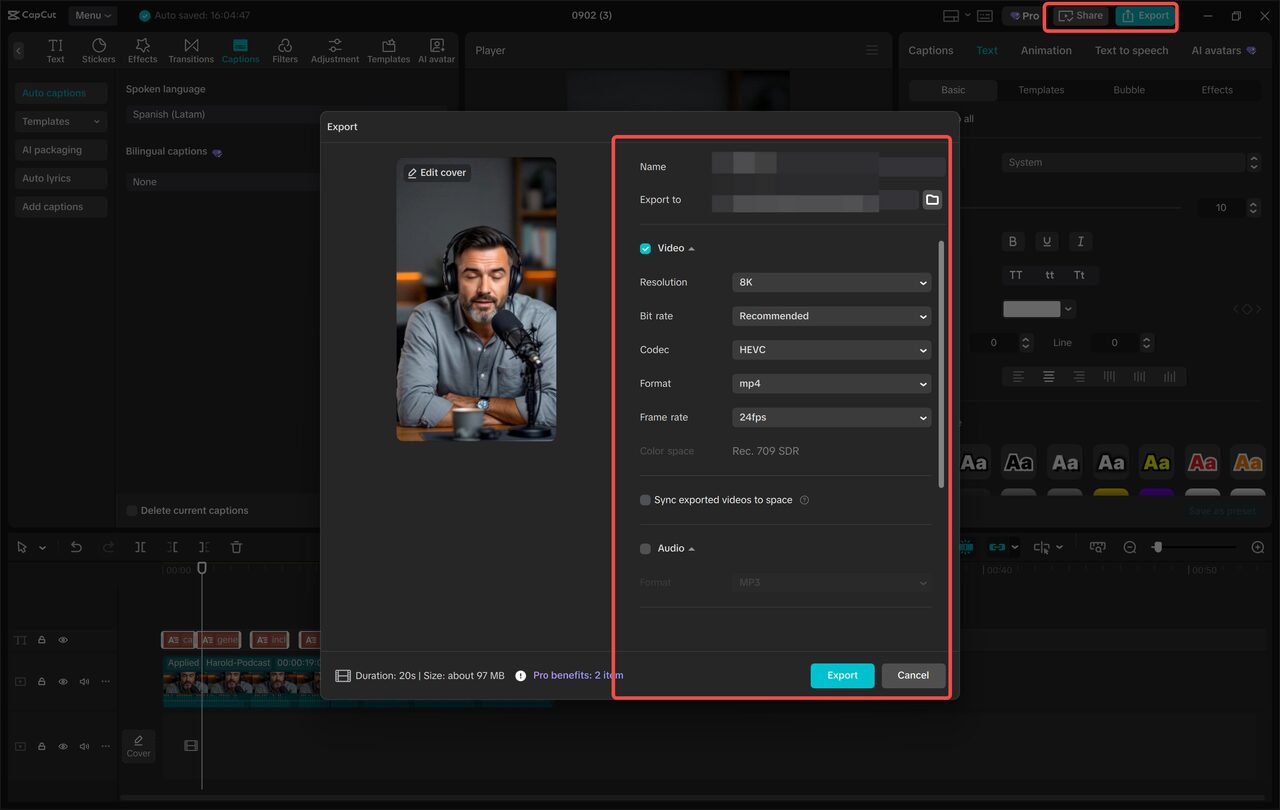
When you are done editing, CapCut PC lets you save your video in a high resolution with efficient rendering. Whether you require HD comprehension desirable or 4K output, the software keeps clear, acceptable, and fluid motions. It also offers options to share directly with other platforms such as TikTok and YouTube, so it can be published easily without having to switch between apps.
Operational Steps to Create Realistic AI Avatars
Step 1: Access and Set Up Your AI Avatar
Open CapCut PC and navigate to “AI Avatar” > “Avatar Library.” Browse through the characters available and select the one that fits your video purpose/take.
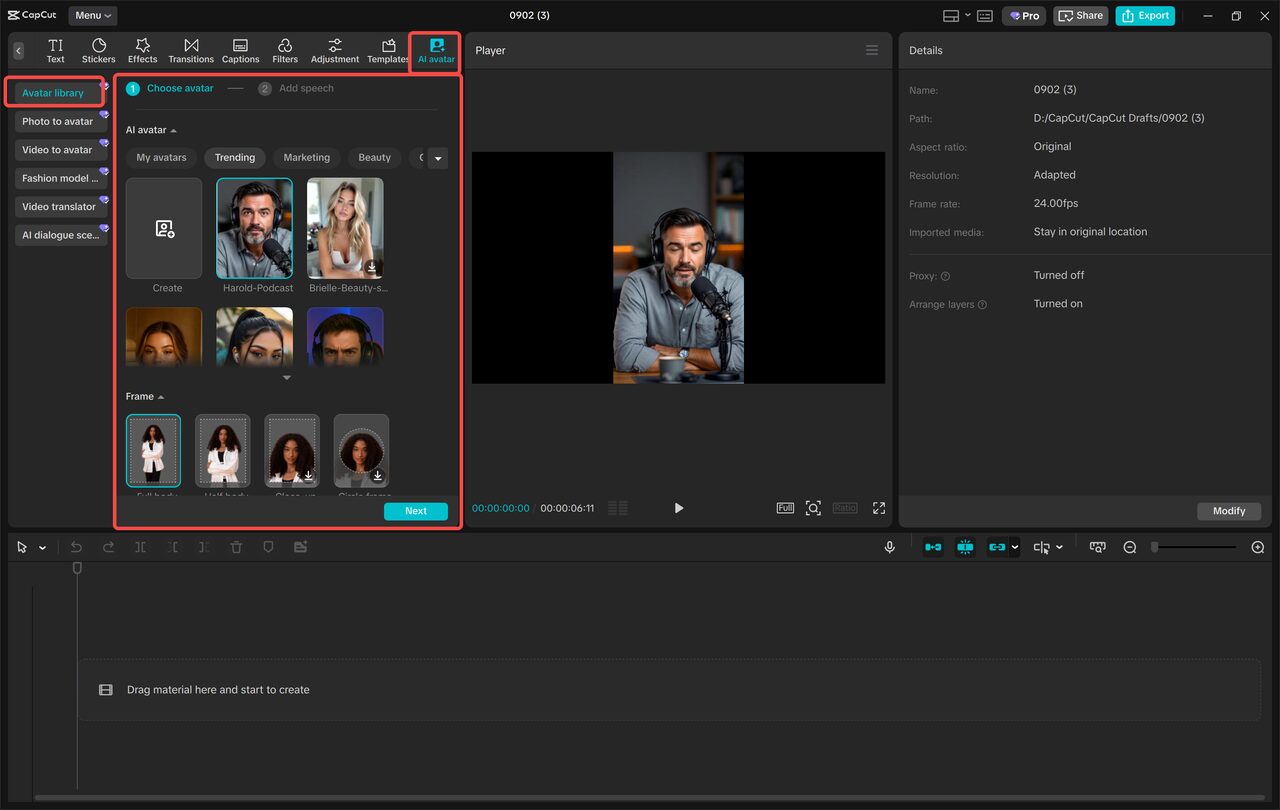
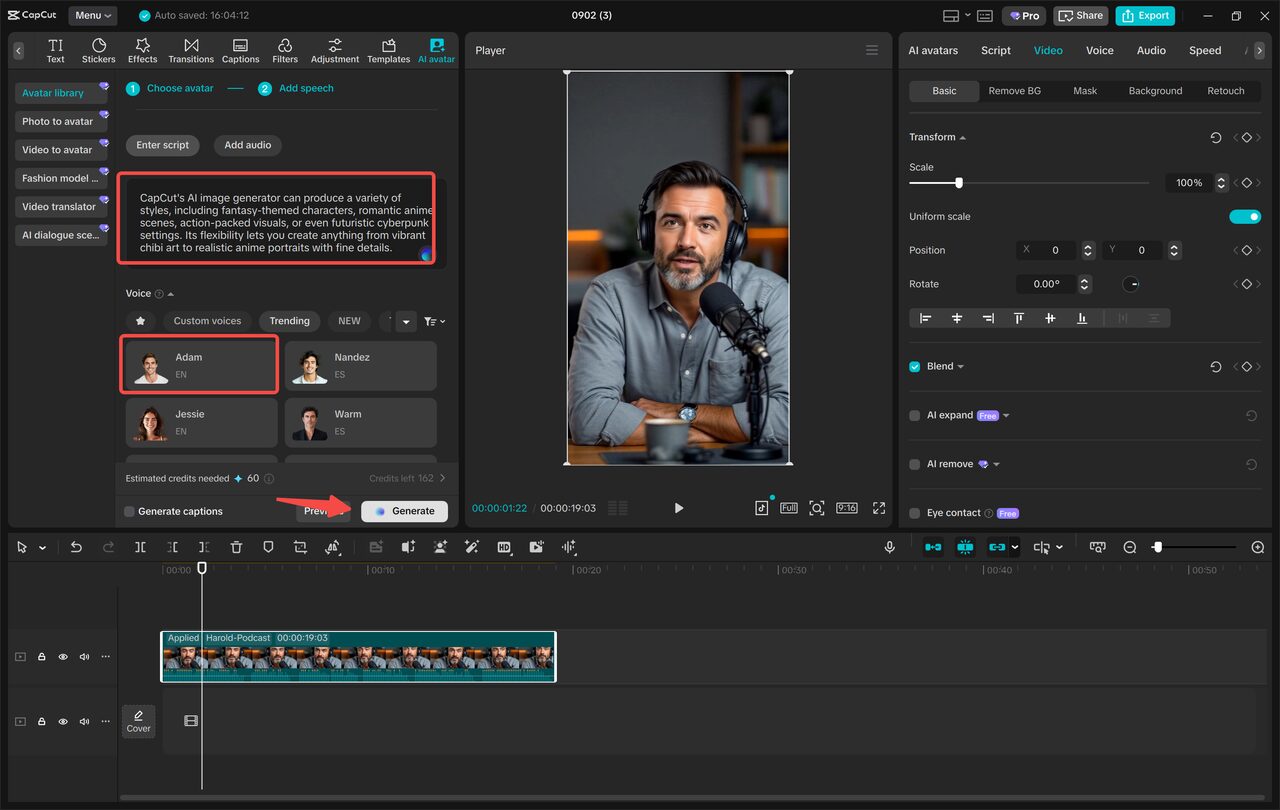
After you have chosen one, click “Add Speech” and type in your script. Multiple AI voices are available for you to choose from, and tone, pace, or accent in AI voices will be possible from CapCut’s text-to-speech AI options. After previewing, click on “Generate,” and your avatar clip will be generated with synchronized voice and facial movement.
Step 2: Edit and Enhance the Avatar Video
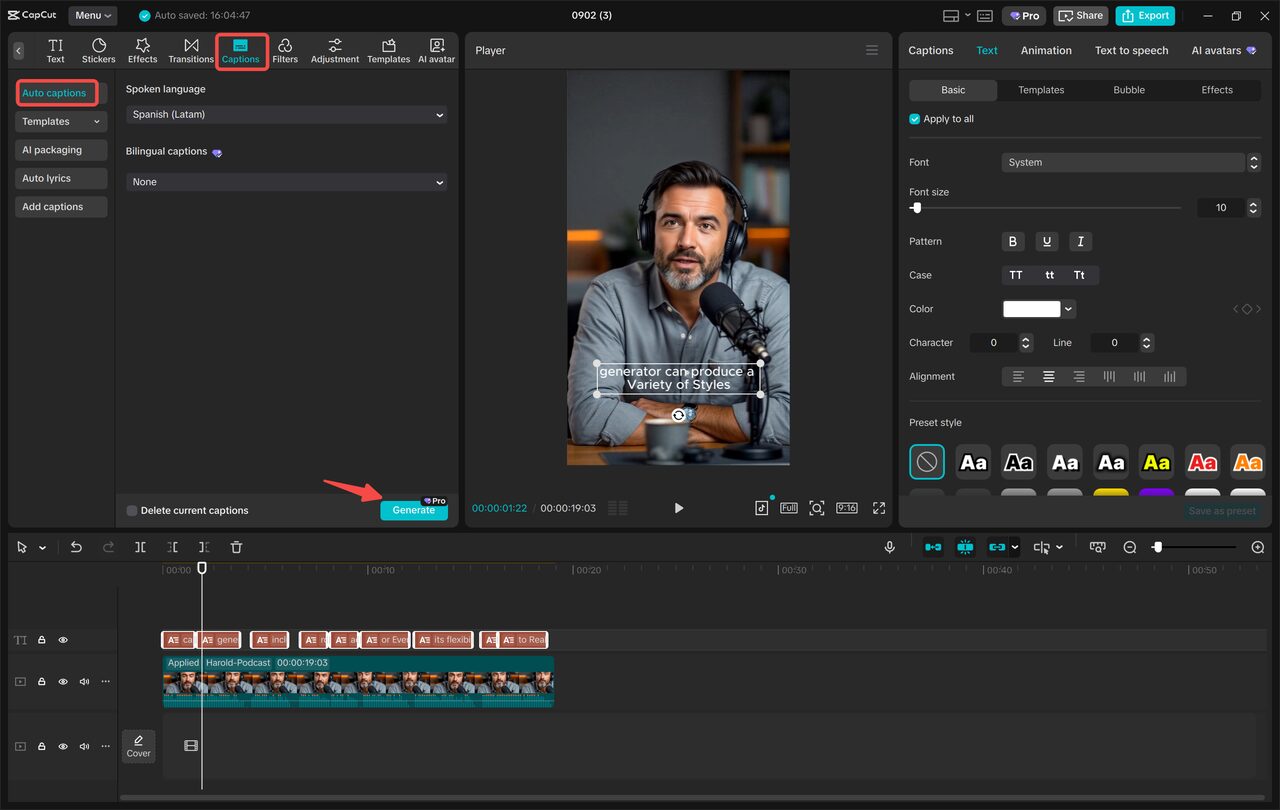
With your avatar generated, go to the avatar editing panel to fine-tune the visuals; Use a proper filter for better light and color quality, and switch the background, if necessary, helps to help follow the video theme or branding. To further develop its accessibility, go to “Captions” > “Auto Captions” for instant creation of subtitles. Review the text and make minor fixes and customizations (style of bands and caption style) to keep the video clean and professional.
Step 3: Export & Share Your Final Video
Once you have your video looking the way you want it, click on Export, selecting the television and format you want. CapCut PC retains quality output for longer videos. After exporting this file, you can upload it directly to other websites such as TikTok or YouTube using the built-in sharing options offered by CapCut. This makes it easy to share your content fast and woe, if it be for personal branding, client work, or educational content.
How AI Avatars Improve Content Production
Using AI avatars is helpful for creators who want to maintain consistency, save time, and reduce the stress of being in front of a camera. Businesses can use them to do explainer videos or tutorials, or educators can create lecture-style videos without having to re-record the lectures. Social media creators can make content frequently without worrying about filming conditions. With CapCut PC, these possibilities become even more accessible.
Final Thoughts
CapCut PC makes the creation of AI avatar videos simple, creative, and efficient. With the help of advanced tools such as text-to-speech artificial intelligence, realistic avatars, custom backgrounds, and seamless editing capabilities, you will be able to create high-quality videos without investing in studio gear or high-end skills. Be it building tutorials, marketing content, or professional presentations, CapCut provides everything you need to bring your ideas to life and turn them into polished-looking videos.