
 By Lesa
In recent years, AI video generation has moved fast, but not always forward. Many tools can produce short, visually striking clips, yet struggle when asked to maintain narrative flow, character stability, or usable audio. This gap between impressive demos and usable outputs is where Seedance 2.0 begins to feel meaningfully different.
From my own testing and close reading of the official workflow, it positions itself less as a novelty generator and more as an attempt to make AI video structurally dependable. Instead of promising effortless magic, it focuses on reducing friction in areas that usually break immersion: abrupt shot changes, inconsistent characters, silent footage, and resolution limits that prevent reuse. That shift in priorities makes it worth examining not as hype, but as a signal of where AI video creation may be heading.
Why Narrative Coherence Matters More Than Visual Spectacle
Many AI video systems excel at single-shot flair. The problem appears when creators need continuity. Characters subtly change, lighting resets between cuts, or motion feels disconnected. Seedance 2.0 places unusual emphasis on multi-shot coherence, suggesting a model that treats video as a sequence rather than a disposable clip.
This matters because most practical use cases—product walkthroughs, brand storytelling, educational explainers—require viewers to follow progression. Tools optimized only for short visual impact often fail here. In my observation, Seedance 2.0 reduces these breaks more consistently, even if it does not eliminate them entirely.
Multi-Scene Thinking Instead of Isolated Clips
One notable design choice is how the system frames output around shot transitions. Rather than generating a single continuous loop, it supports sequences composed of multiple scenes. In practice, transitions feel more intentional, with fewer abrupt visual resets compared to many earlier-generation models.
This does not mean every output is flawless. Some prompts still require iteration, and longer sequences benefit from careful setup. However, the baseline stability lowers the cost of experimentation.
Character Identity Across Multiple Shots
Character consistency is often where AI video breaks down. Faces drift, proportions shift, and identity dissolves over time. Seedance 2.0 explicitly highlights character stability, and in testing, this focus is noticeable. Characters tend to retain recognizable features across shots, especially when prompts avoid unnecessary complexity.
Integrated Audio as a Structural Advantage
Another distinguishing element is native audio generation. Many AI video tools remain silent by default, forcing creators into separate workflows for sound. Seedance 2.0 integrates audio directly into the generation process, producing environmental sound and basic audio cues aligned with visuals.
From a practical perspective, this reduces context switching. While advanced sound design may still require external tools, having synchronized baseline audio makes drafts feel closer to a finished piece.
Why Sound Changes Perceived Realism
Even minimal ambient sound can dramatically change how video is perceived. Silent footage often feels artificial, regardless of visual quality. In my experience, videos generated with integrated audio feel more grounded, even when visuals are imperfect. This makes Seedance 2.0 useful for early-stage storytelling and concept validation.
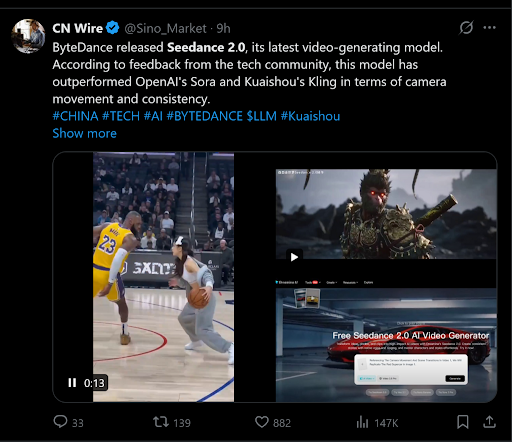
Resolution and Duration as Usability Thresholds
High resolution and longer duration are often marketed as headline features, but their real value lies in usability. Seedance 2.0 supports output up to 1080p and allows significantly longer clips than the brief snippets common in earlier tools.
This does not automatically make every output production-ready. However, it crosses an important threshold: videos can be reviewed, shared, and lightly edited without immediately exposing their AI origins.
Sustaining Structure Over Longer Timelines
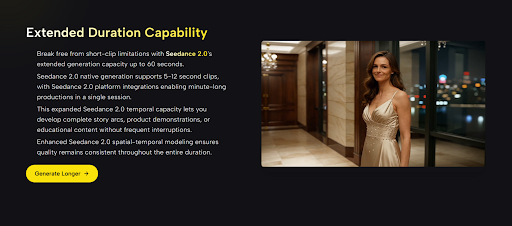
Longer videos increase the risk of visual drift and narrative collapse. In testing, Seedance 2.0 holds structure better than expected across extended durations, though results still vary. Simpler scenes remain stable longer, while dense motion or rapid transitions may require multiple generations.
Frame Rate and Aspect Ratio Flexibility
Control over frame rate and aspect ratio allows adaptation to different platforms and formats. This flexibility reflects an understanding of real-world distribution needs rather than a one-size-fits-all demo output.
Contextual Comparison Within the AI Video Landscape
To understand where Seedance 2.0 fits, it helps to compare it against common limitations observed elsewhere. The table below summarizes differences based on hands-on use and publicly described capabilities.
| Comparison Dimension | Common AI Video Tools | Seedance 2.0 Observation |
| Narrative Structure | Single-shot focus | Multi-shot orientation |
| Character Stability | Frequent identity drift | More consistent across scenes |
| Audio Handling | External or absent | Integrated with visuals |
| Practical Resolution | Often limited | Up to 1080p supported |
| Usable Duration | Very short clips | Extended sequences possible |
This comparison is not about declaring a universal winner, but about highlighting a shift toward coherence and usability rather than pure novelty.
Official Workflow and Its Impact on Results
Seedance 2.0 follows a concise workflow that avoids feature overload. Based strictly on the platform’s documented process, the steps remain focused and linear.
Step One: Select a Generation Mode
Users choose between text-based generation or image-driven animation. This decision determines whether the system builds scenes from language alone or uses a visual reference to guide motion and style.
Step Two: Define Video Parameters
Aspect ratio, resolution, frame rate, and duration are configured before generation. These settings influence not only format but also stability, as higher demands may require more iterations.
Step Three: Generate and Evaluate Output
The system produces a preview video with synchronized audio. Reviewing coherence and continuity at this stage is essential, as refinements often lead to noticeably better outcomes.
Step Four: Export for Use or Editing
Once satisfied, the video can be exported in a standard format for sharing or post-processing.
Acknowledging Practical Limitations
No AI video model is without trade-offs. Seedance 2.0 still shows variability between generations, and complex prompts may need several attempts to achieve the intended result. Integrated audio, while useful, may not replace professional sound design for high-end production.
Recognizing these limits makes the tool feel more credible, not less. It behaves less like effortless magic and more like a creative system that rewards thoughtful input.
A Measured Perspective on Its Potential
Rather than presenting Seedance 2.0 as a final solution, it makes more sense to see it as a step toward maturity in AI video generation. By prioritizing coherence, integrated audio, and usable formats, it aligns more closely with how creators actually work.
Within the broader discussion of AI video progress—often explored in neutral research literature such as arxiv.org/abs/2309.15822—the trend is clear: advancement is shifting from spectacle to reliability. Seedance 2.0 reflects that direction.
For creators exploring AI video as a practical extension of their workflow, not just a novelty, its design choices suggest a tool worth understanding, testing, and cautiously integrating where it fits best.